 Back
BackDescriptive Statistics for Business
 03:08
03:08
Terms in this set (27)
Statistics is both the science of uncertainty and the technology of extracting information from data, involving collecting, organizing, analyzing, interpreting, and presenting data.
Population is the entire set of data of interest with parameters (θ), while a sample is a representative part of the population with statistics (θ̂).
Population proportion is denoted by π, and sample proportion is denoted by p.
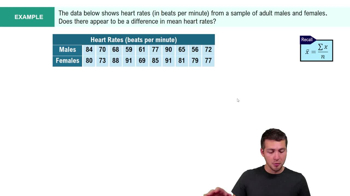
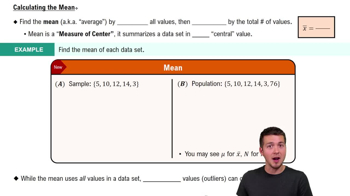
Population mean: \(\mu=\frac{1}{N}\sum_{i=1}^N x_i\). Sample mean: \(\bar{x}=\frac{1}{n}\sum_{i=1}^n x_i\).
The Excel function =AVERAGE(data range) calculates the mean.
The median is the middle value when data are sorted. For odd observations, it is the middle number; for even, the average of the two middle numbers.
The Excel function =MEDIAN(data range) returns the median value.
The mode is the most frequently occurring value in a data set, useful for data with few unique values.
=MODE.SNGL(data range) for single mode, and =MODE.MULT(data range) for multiple modes.
Dispersion measures the degree of variation or spread in data, including range, interquartile range, variance, and standard deviation.
Range = Maximum value − Minimum value. It is sensitive to outliers.
IQR = Third quartile (Q3) − First quartile (Q1), representing the middle 50% of data, less affected by outliers.
Population variance: \(\sigma^2=\frac{1}{N}\sum_{i=1}^N (x_i-\mu)^2\). Sample variance: \(s^2=\frac{1}{n-1}\sum_{i=1}^n (x_i-\bar{x})^2\).
=VAR.P(data range) for population variance, and =VAR.S(data range) for sample variance.
Standard deviation is the square root of variance, providing spread in the same units as the data.
=STDEV.P(data range) for population, and =STDEV.S(data range) for sample standard deviation.
CV = Standard deviation / Mean, providing a relative measure of variation or risk relative to return.
Skewness measures data asymmetry: positive skew (tail right), negative skew (tail left), with coefficient of skewness (CS) indicating degree.
The Excel function =SKEW(data range) calculates the coefficient of skewness.
Kurtosis measures peakedness or flatness of data distribution; < 3 indicates flat, > 3 indicates peaked.
Excel's =KURT(data range) computes excess kurtosis (kurtosis − 3), so values < 0 are flat, > 0 are peaked.
Covariance measures linear association between two variables but depends on units, making interpretation tricky.
=COVARIANCE.P(array1, array2) for population, and =COVARIANCE.S(array1, array2) for sample covariance.
Correlation measures linear relationship between two variables, scaled between −1 and 1, and is unit-free.
The Excel function =CORREL(array1, array2) calculates the correlation coefficient.
r = 1: perfect positive correlation; r = −1: perfect negative correlation; r = 0: no linear relationship.
Via Data > Data Analysis > Descriptive Statistics, providing summary statistics for sample data.