Skip to main content
Statistics for Business
나의 코스
배우기
시험 준비
AI 튜터
학습 가이드
플래시카드
탐험해 보세요
앱을 사용해 보세요
나의 코스
배우기
시험 준비
AI 튜터
학습 가이드
플래시카드
탐험해 보세요
앱을 사용해 보세요
뒤로
Enabling Data Analysis Toolpak quiz
카드를 뒤집기 위해 탭할 수 있습니다.
What is the purpose of Excel's Analysis ToolPak add-in?
카드를 뒤집기 위해 탭할 수 있습니다.
👆
What is the purpose of Excel's Analysis ToolPak add-in?
It enhances Excel's data analysis capabilities, enabling advanced statistical methods like regression and ANOVA.
진행 상황 추적
컨트롤 버튼이 '내비게이션' 모드로 변경되었습니다.
1/15
관련 플래시카드
관련 실천
추천 영상
Enabling Data Analysis Toolpak definitions
Enabling Data Analysis Toolpak
15 용어
12. Regression - Part 1 of 2
4 주제
15 문제점
장
Ally
12. Regression - Part 2 of 2
2 주제
3 문제점
장
Justin
VideoThumbView.guidedCourse
01:58
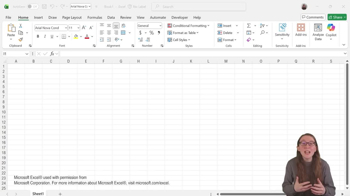
Enabling Data Analysis Toolpak - Excel
82
views
이 집합의 용어 (15)
하이드의 정의
What is the purpose of Excel's Analysis ToolPak add-in?
It enhances Excel's data analysis capabilities, enabling advanced statistical methods like regression and ANOVA.
How can you access the Analysis ToolPak in Excel?
You can access it via the Data tab in the top ribbon, under the Analysis menu by clicking Data Analysis.
Is the Analysis ToolPak add-in free or paid?
It is completely free for users.
On which version of Excel does the Analysis ToolPak work?
It works only on the desktop version of Excel.
What should you do before using the Analysis ToolPak for assignments?
You should check with your professor to ensure they approve its use.
How do you enable the Analysis ToolPak add-in in Excel?
Go to File > Options > Add-ins, select Excel Add-ins in Manage, click Go, and check off Analysis ToolPak.
What might prevent you from enabling the Analysis ToolPak add-in?
Device administrator permissions may need to be enabled.
What types of statistical methods does the Analysis ToolPak support?
It supports methods such as regression, ANOVA, hypothesis testing, and calculation of confidence intervals.
What is the spelling of 'ToolPak' in the add-in name?
It is spelled 'T-O-O-L-P-A-K'.
Where in Excel do you find the Data Analysis menu after enabling ToolPak?
It is located in the Data tab, to the far right under the Analysis menu.
What is one benefit of using the Analysis ToolPak for students?
It allows students to handle complex datasets and perform advanced statistical analyses easily.
What statistical concepts can be applied using the ToolPak in hypothesis testing?
Concepts like the alpha level and p-value can be applied.
What should you do if you have trouble accessing the add-ins menu?
Check with your device administrator to ensure necessary permissions are enabled.
What tasks can the Analysis ToolPak help with besides regression and ANOVA?
It can help with hypothesis testing, calculation of confidence intervals, and analysis of variance tables.
Why is it important to confirm instructor approval before using the ToolPak?
Some instructors may have specific guidelines or restrictions regarding the use of add-ins for assignments.
 뒤로뒤로
뒤로뒤로

 01:58
01:58