Ch. 6 - Inverse Circular Functions and Trigonometric Equations
Lial - Trigonometry 12th Edition
Lial12th EditionTrigonometryISBN: 9780136552161당신이 사용하는 게 아니라요?교과서 변경
7장, 문제 63

Use a calculator to approximate each real number value. (Be sure the calculator is in radian mode.) 
y = arctan 1.1111111

검증된 단계별 안내
1
Understand that the function \( y = \arctan(x) \) gives the angle \( y \) whose tangent is \( x \). In this problem, \( y = \arctan(1.1111111) \) means we want the angle whose tangent is approximately 1.1111111.
Make sure your calculator is set to radian mode because the problem specifies that the answer should be in radians. This is important because inverse trigonometric functions can give results in degrees or radians depending on the mode.
Enter the value 1.1111111 into your calculator and then press the \( \arctan \) or \( \tan^{-1} \) function key. This will compute the angle \( y \) in radians.
The calculator will display the approximate value of \( y \), which is the angle in radians whose tangent is 1.1111111.
Interpret the result as the solution to the problem: \( y = \arctan(1.1111111) \) in radians.

비슷한 문제에 대한 검증된 영상 답변:

이 영상 해법은 위 문제에 도움이 된다고 튜터들이 추천한 것입니다.
도움이 되었나요?

주요 개념

질문에 올바르게 답하기 위해 반드시 이해해야 하는 핵심 개념들은 다음과 같습니다.

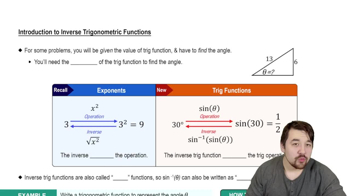
Inverse Trigonometric Functions

Inverse trigonometric functions, like arctan, reverse the process of trigonometric functions, returning the angle whose tangent is a given number. For arctan(x), the output is the angle θ such that tan(θ) = x, typically within the range (-π/2, π/2).
추천 영상:
4:28
Introduction to Inverse Trig Functions

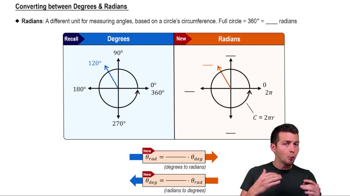
Calculator Mode (Radian vs Degree)

Calculators can operate in degree or radian mode, affecting the interpretation of angle measures. Since trigonometric functions can use either, ensuring the calculator is in radian mode is essential when the problem specifies radians, to get correct angle values in radians.
추천 영상:
5:04
Converting between Degrees & Radians

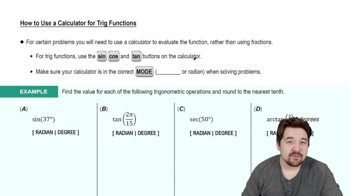
Approximating Values Using a Calculator

To approximate values like y = arctan(1.1111111), input the number into the calculator's inverse tangent function. The calculator then provides a decimal approximation of the angle in radians, which is useful when exact values are not easily expressed in simple fractions or multiples of π.
추천 영상:
4:45
How to Use a Calculator for Trig Functions