Ch. 6 - Inverse Circular Functions and Trigonometric Equations
Lial - Trigonometry 12th Edition
Lial12th EditionTrigonometryISBN: 9780136552161, 9780135440780, 9780136881117, 9780135440827, 9780135924891Non è quello che usi tu?Cambia libro di testo
Capitolo 7, Problema 61

Use a calculator to approximate each real number value. (Be sure the calculator is in radian mode.) 
y = cos⁻¹ (―0.32647891)

Guida verificata passo dopo passo
1
Recognize that the problem asks for the inverse cosine (arccos) of the value -0.32647891, which means we want to find the angle \( y \) such that \( \cos(y) = -0.32647891 \).
Ensure your calculator is set to radian mode, as the problem specifies. This is important because inverse trigonometric functions can give results in degrees or radians depending on the mode.
Input the value into the calculator using the inverse cosine function: \( y = \cos^{-1}(-0.32647891) \). This is often done by pressing the \( \cos^{-1} \) or \( \arccos \) button, then entering the number.
Interpret the calculator's output as the principal value of the angle \( y \) in radians, which will be in the range \( 0 \leq y \leq \pi \) for the arccos function.
If needed, consider the context of the problem to determine if additional angles are relevant, but typically the principal value from the calculator is the required solution.

Risposta video verificata per un problema simile:

Questa soluzione video è stata consigliata dai nostri tutor come utile per risolvere questo problema.

Concetti chiave

Ecco i concetti essenziali che devi comprendere per rispondere correttamente alla domanda.

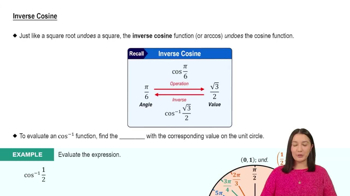
Inverse Cosine Function (arccos)

The inverse cosine function, denoted as cos⁻¹ or arccos, returns the angle whose cosine value is the given number. It is defined for inputs between -1 and 1 and outputs angles in the range [0, π] radians. Understanding this function is essential to find the angle corresponding to a specific cosine value.
Video consigliato:
Percorso guidato
4:49
Inverse Cosine

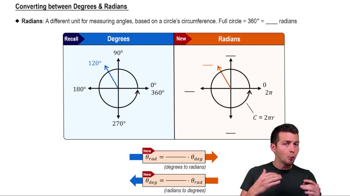
Radian Mode on Calculators

Radian mode means the calculator interprets and outputs angles in radians rather than degrees. Since trigonometric functions can use either unit, ensuring the calculator is in radian mode is crucial when the problem specifies radian results, as it affects the numerical output of inverse trig functions.
Video consigliato:
Percorso guidato
5:04
Converting between Degrees & Radians

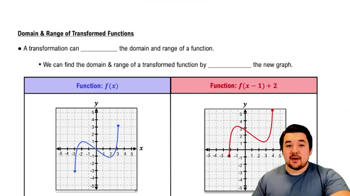
Domain and Range of Cosine and Arccosine

Cosine values range from -1 to 1, so the input to arccos must lie within this domain. The output of arccos is restricted to [0, π] radians, representing angles in the first and second quadrants. Recognizing these limits helps verify valid inputs and interpret the resulting angle correctly.
Video consigliato:
Percorso guidato
4:22
Domain and Range of Function Transformations