Ch. 6 - Inverse Circular Functions and Trigonometric Equations
Lial - Trigonometry 12th Edition
Lial12th EditionTrigonometryISBN: 9780136552161, 9780135440780, 9780136881117, 9780135440827, 9780135924891Non è quello che usi tu?Cambia libro di testo
Capitolo 7, Problema 63

Use a calculator to approximate each real number value. (Be sure the calculator is in radian mode.) 
y = arctan 1.1111111

Guida verificata passo dopo passo
1
Understand that the function \( y = \arctan(x) \) gives the angle \( y \) whose tangent is \( x \). In this problem, \( y = \arctan(1.1111111) \) means we want the angle whose tangent is approximately 1.1111111.
Make sure your calculator is set to radian mode because the problem specifies that the answer should be in radians. This is important because inverse trigonometric functions can give results in degrees or radians depending on the mode.
Enter the value 1.1111111 into your calculator and then press the \( \arctan \) or \( \tan^{-1} \) function key. This will compute the angle \( y \) in radians.
The calculator will display the approximate value of \( y \), which is the angle in radians whose tangent is 1.1111111.
Interpret the result as the solution to the problem: \( y = \arctan(1.1111111) \) in radians.

Risposta video verificata per un problema simile:

Questa soluzione video è stata consigliata dai nostri tutor come utile per risolvere questo problema.

Concetti chiave

Ecco i concetti essenziali che devi comprendere per rispondere correttamente alla domanda.

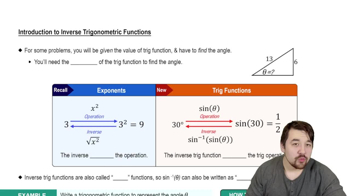
Inverse Trigonometric Functions

Inverse trigonometric functions, like arctan, reverse the process of trigonometric functions, returning the angle whose tangent is a given number. For arctan(x), the output is the angle θ such that tan(θ) = x, typically within the range (-π/2, π/2).
Video consigliato:
Percorso guidato
4:28
Introduction to Inverse Trig Functions

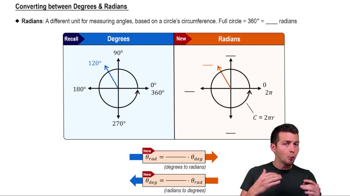
Calculator Mode (Radian vs Degree)

Calculators can operate in degree or radian mode, affecting the interpretation of angle measures. Since trigonometric functions can use either, ensuring the calculator is in radian mode is essential when the problem specifies radians, to get correct angle values in radians.
Video consigliato:
Percorso guidato
5:04
Converting between Degrees & Radians

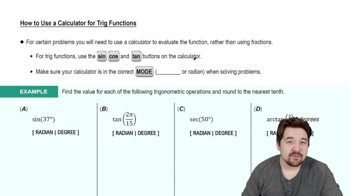
Approximating Values Using a Calculator

To approximate values like y = arctan(1.1111111), input the number into the calculator's inverse tangent function. The calculator then provides a decimal approximation of the angle in radians, which is useful when exact values are not easily expressed in simple fractions or multiples of π.
Video consigliato:
Percorso guidato
4:45
How to Use a Calculator for Trig Functions