Skip to main content
Introductory Statistics
My Course
Learn
Exam Prep
AI Tutor
Study Guides
Textbook Solutions
Flashcards
Explore
Try the app
My Course
Learn
Exam Prep
AI Tutor
Study Guides
Textbook Solutions
Flashcards
Explore
Try the app
Back
Descriptive Statistics-Excel definitions
You can tap to flip the card.
Descriptive Statistics
You can tap to flip the card.
👆
Descriptive Statistics
Summarizes and presents key features of a dataset, including central tendency and variability, to simplify data interpretation.
Track progress
Control buttons has been changed to "navigation" mode.
1/15
Related flashcards
Related practice
Recommended videos
Descriptive Statistics-Excel quiz
Descriptive Statistics-Excel
15 Terms
3. Describing Data Numerically - Part 1 of 2
5 topics
15 problems
Chapter
David-Paige
3. Describing Data Numerically - Part 2 of 2
3 topics
8 problems
Chapter
Jonathan
Guided course
06:10
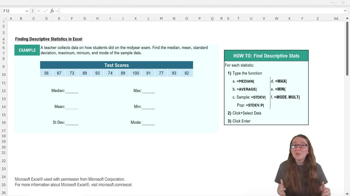
Descriptive Statistics-Excel
1433
views
23
rank
Guided course
05:30
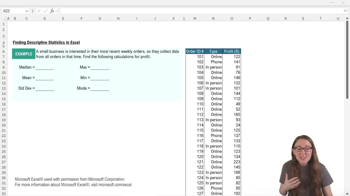
Descriptive Statistics-Excel Example 1
804
views
37
rank
Terms in this set (15)
Hide definitions
Descriptive Statistics
Summarizes and presents key features of a dataset, including central tendency and variability, to simplify data interpretation.
Mean
Represents the average value of a dataset, calculated by dividing the sum of all values by the number of values.
Median
Identifies the middle value in a sorted dataset, providing a measure of central tendency less affected by outliers.
Mode
Highlights the value(s) that appear most frequently in a dataset, useful for identifying common outcomes.
Standard Deviation
Measures the spread of data values around the mean, indicating how much values typically differ from the average.
Maximum
Shows the largest value in a dataset, useful for identifying the upper boundary of observed data.
Minimum
Displays the smallest value in a dataset, helping to determine the lower boundary of observed data.
Sample
A subset of a population used for analysis, often requiring specific statistical formulas for accurate results.
Population
The entire group of interest in a study, requiring distinct statistical formulas compared to samples.
Central Tendency
Describes the center or typical value of a dataset, commonly measured by mean, median, or mode.
Variability
Indicates how spread out or dispersed data values are, often measured by standard deviation.
Formula Bar
The area in Excel where functions and formulas are entered to perform calculations on selected data.
Cell Range
A group of adjacent cells in Excel selected for analysis, often specified by starting and ending cell references.
Function
A predefined operation in Excel that performs calculations or data analysis, such as finding averages or maximums.
Shortcut
A quick method in Excel, like copying and pasting function names, to streamline repetitive tasks during data analysis.
 BackBack
 06:10
06:10