Skip to main content
Introductory Statistics
My Course
Learn
Exam Prep
AI Tutor
Study Guides
Textbook Solutions
Flashcards
Explore
Try the app
My Course
Learn
Exam Prep
AI Tutor
Study Guides
Textbook Solutions
Flashcards
Explore
Try the app
Back
Quadratic Regression - Excel quiz
You can tap to flip the card.
What shape does a quadratic regression model fit in a scatterplot?
You can tap to flip the card.
👆
What shape does a quadratic regression model fit in a scatterplot?
A quadratic regression model fits a parabolic, or U/arch-shaped, trend in a scatterplot.
Track progress
Control buttons has been changed to "navigation" mode.
1/15
Related flashcards
Related practice
Recommended videos
Quadratic Regression - Excel definitions
Quadratic Regression - Excel
15 Terms
Quadratic Regression
12. Regression
5 problems
Topic
Justin
12. Regression
6 topics
9 problems
Chapter
Justin
Guided course
05:03
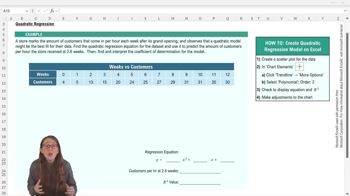
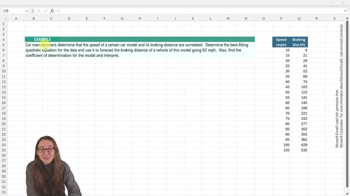
Quadratic Regression - Excel Example 1
121
views
3
rank
Guided course
05:12
Quadratic Regression - Excel
142
views
1
rank
Terms in this set (15)
Hide definitions
What shape does a quadratic regression model fit in a scatterplot?
A quadratic regression model fits a parabolic, or U/arch-shaped, trend in a scatterplot.
What is the first step in performing quadratic regression in Excel?
The first step is to create a scatter plot of your data in Excel.
How do you add a quadratic trendline to a scatter plot in Excel?
Go to the chart elements menu, select 'Add Trendline,' choose 'Polynomial,' and set the order to 2.
What does the 'order' of a polynomial trendline represent in Excel?
The order represents the degree of the polynomial; order 2 corresponds to a quadratic equation.
How can you display the regression equation and R² value on your Excel chart?
Check the boxes for 'Display Equation on chart' and 'Display R squared value on chart' in the trendline options.
What does the R² value indicate in quadratic regression?
R² indicates how well the model explains the variation in the dependent variable; values near 1 show a strong fit.
How do you use the quadratic regression equation to make predictions?
Substitute the desired x-value into the equation to calculate the predicted y-value.
Why might you want to round the coefficients in your regression equation?
Rounding makes the equation easier to work with and interpret, but you should follow your professor's guidelines.
What does an R² value of 0.98 mean in the context of a quadratic regression model?
It means that 98% of the variation in the dependent variable is explained by the model.
What should you do to make your Excel chart easier to interpret for assignments?
Change the chart title and add axis titles to clearly match the dataset.
How do you check if your predicted value from the regression equation makes sense?
Compare it to nearby values in your data table to see if it fits the trend.
What is the general form of a quadratic regression equation?
The general form is y = ax² + bx + c, where a, b, and c are coefficients.
What Excel function can you use to calculate a predicted y-value from the regression equation?
You can use the formula bar with arithmetic operations to substitute x and calculate y.
Why might a linear model not be appropriate for certain datasets?
If the data shows a curved, parabolic trend, a linear model may not fit well.
What other types of regression models can you select in Excel besides quadratic?
Excel also offers exponential, logarithmic, and power regression models.
 BackBack
 05:03
05:03