Pearson+ LogoPearson+ Logo

Quadratic Regression quiz #1 Flashcards

Back
Quadratic Regression quiz #1
Control buttons has been changed to "navigation" mode.
1/10
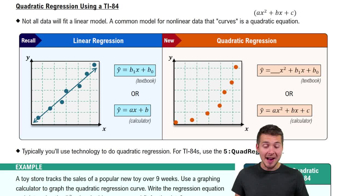
  • What is the general form of the quadratic regression equation used to model nonlinear data?

    The general form of the quadratic regression equation is y = ax² + bx + c, where a, b, and c are coefficients determined from the data. This equation models data with a curved trend, and the coefficient a controls the curvature of the graph.
  • What visual pattern in a scatterplot suggests that quadratic regression may be appropriate?

    A curvy pattern resembling a U or an upside-down U in the data points suggests quadratic regression may be appropriate. These shapes indicate a nonlinear relationship best modeled by a quadratic equation.
  • Which menu on the TI-84 calculator do you access first to begin quadratic regression analysis?

    You first access the 'Stat' menu on the TI-84 calculator to begin quadratic regression analysis. From there, you select 'Edit' to input your data.
  • What is the purpose of storing the regression equation as y1 on the TI-84 calculator?

    Storing the regression equation as y1 allows the calculator to graph the curve automatically. This makes visualization and further analysis easier without manual entry.
  • How do you assign your x and y data lists when performing quadratic regression on the TI-84?

    You assign your x data to L1 and your y data to L2 when performing quadratic regression on the TI-84. This ensures the calculator uses the correct variables for analysis.
  • What does an R-squared value of 0.977 indicate about the fit of a quadratic regression model?

    An R-squared value of 0.977 indicates a very strong fit of the quadratic regression model to the data. The closer R-squared is to 1, the better the model explains the variability in the data.
  • Why is technology like a graphing calculator preferred for quadratic regression over manual calculation?

    Technology is preferred because quadratic regression equations are more complex and tedious to solve by hand. Calculators automate the process, reducing errors and saving time.
  • What should you check in the Stat Plot menu before graphing your quadratic regression on the TI-84?

    You should ensure that your plot is turned on in the Stat Plot menu before graphing. This allows the calculator to display your data points alongside the regression curve.
  • How do you adjust the graphing window on the TI-84 to best display your quadratic regression curve?

    Adjust the window so the x-values span from the minimum to maximum in your data, and the y-values cover slightly below the minimum to above the maximum. This ensures all points and the curve are visible.
  • What is considered a generally good R-squared value for quadratic regression fit according to the transcript?

    A generally good R-squared value for quadratic regression fit is anything above 0.8. Values above this threshold indicate the model fits the data well.