Ch. 6 - Inverse Circular Functions and Trigonometric Equations
Lial - Trigonometry 12th Edition
Lial12th EditionTrigonometryISBN: 9780136552161Not the one you use?Change textbook
Chapter 7, Problem 63

Use a calculator to approximate each real number value. (Be sure the calculator is in radian mode.) 
y = arctan 1.1111111

Verified step by step guidance
1
Understand that the function \( y = \arctan(x) \) gives the angle \( y \) whose tangent is \( x \). In this problem, \( y = \arctan(1.1111111) \) means we want the angle whose tangent is approximately 1.1111111.
Make sure your calculator is set to radian mode because the problem specifies that the answer should be in radians. This is important because inverse trigonometric functions can give results in degrees or radians depending on the mode.
Enter the value 1.1111111 into your calculator and then press the \( \arctan \) or \( \tan^{-1} \) function key. This will compute the angle \( y \) in radians.
The calculator will display the approximate value of \( y \), which is the angle in radians whose tangent is 1.1111111.
Interpret the result as the solution to the problem: \( y = \arctan(1.1111111) \) in radians.

Verified video answer for a similar problem:

This video solution was recommended by our tutors as helpful for the problem above.
Was this helpful?

Key Concepts

Here are the essential concepts you must grasp in order to answer the question correctly.

Inverse Trigonometric Functions

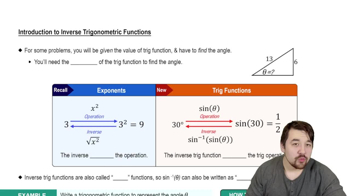
Inverse trigonometric functions, like arctan, reverse the process of trigonometric functions, returning the angle whose tangent is a given number. For arctan(x), the output is the angle θ such that tan(θ) = x, typically within the range (-π/2, π/2).
Recommended video:
4:28
Introduction to Inverse Trig Functions

Calculator Mode (Radian vs Degree)

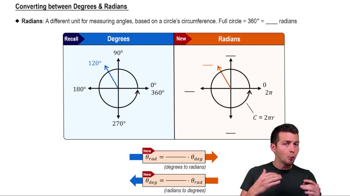
Calculators can operate in degree or radian mode, affecting the interpretation of angle measures. Since trigonometric functions can use either, ensuring the calculator is in radian mode is essential when the problem specifies radians, to get correct angle values in radians.
Recommended video:
5:04
Converting between Degrees & Radians

Approximating Values Using a Calculator

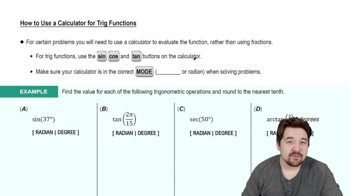
To approximate values like y = arctan(1.1111111), input the number into the calculator's inverse tangent function. The calculator then provides a decimal approximation of the angle in radians, which is useful when exact values are not easily expressed in simple fractions or multiples of π.
Recommended video:
4:45
How to Use a Calculator for Trig Functions