

Thinking Like an Engineer, 6th edition
- Elizabeth A. Stephan |
- David R. Bowman |
- William D. Martin III |
- Baker A. Martin |
Title overview
For first-year engineering courses.
Promote self-guided inquiry
Thinking Like an Engineer: An Active Learning Approach provides the skills foundation new engineering students need to prepare for upper-level courses. It helps them move beyond “plug-and-chug” and memorizing problem-solving methods, encouraging them instead to ask if their approaches and answers make sense in the physical world. Sections on time management, goal setting, and study skills are integrated throughout to assist on topics where students will most likely need them. An emphasis on reading and practice before class helps learners arrive prepared; instructors can then devote class time to collaborative problem solving, computer-based activities, and hands-on experiments.
The 6th Edition utilizes MATLAB® 2024 throughout, incorporates a new problem-solving framework, discusses AI in ethical engineering, and much more.
Hallmark features of this title
- Topical presentation as opposed to sequential: The balance of flexibility and structure provides each student with the scaffolding they need to be successful.
- Scripted examples accompany skills in sections that are difficult to lecture. When a skill is presented, students are expected to work through the examples, not just read them.
- Comprehension Checks within the reading let students evaluate their understanding before class, encouraging them to become self-directed learners.
- Review Sections provide additional questions to help students reach the next level of understanding.
New and updated features of this title
- An upgrade to MATLAB 2024 is applied throughout.
- A new problem-solving framework is incorporated in a significantly revised Part I (Engineering Essentials).
- A new section on AI in Ethical Engineering is provided.
- Tables are now included as a new data type in Chapter 15.
- Revisions to end-of chapter problems include problems which utilize the new table data type and more problems in the MATLAB Grader system.
Key features
Features of Pearson+ eTextbook for the 6th Edition
- New videos in almost every chapter: short videos are available to help explain concepts and skills that may be difficult to explain on paper. Topics include Engineering Ethics, Functions in Excel, MATLAB Introduction, and Conditional Statements.
- Starting worksheets and code for Excel and MATLAB are provided for students to work through examples.
Features of MyLab Engineering for the 6th Edition
- New Interactive Assignments offer a new assignment format, blending author content and mixed media into a seamless learning path. Instructors can create assignments easily with a simple added step in their MyLab course setup, and easily edit the order of content.
- New videos in almost every chapter: short videos are available to help explain concepts and skills that may be difficult to explain on paper. Topics include Engineering Ethics, Functions in Excel, MATLAB Introduction, and Conditional Statements.
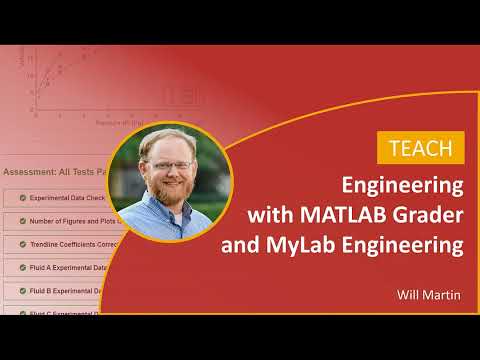
- Edition-specific automated assessment of MATLAB code submissions with real-time feedback and integration within the MyLab Engineering gradebook helps students practice essential coding skills without creating extra review work for instructors.
- Auto-graded Excel Projects allow instructors to seamlessly integrate Excel content into their courses without manually grading spreadsheets. Students simply download a spreadsheet, complete the project in Excel, and then upload that file back into MyLab Engineering, where they receive reports on their work that provide personalized, detailed feedback.
- Homework and practice questions are correlated to the textbook; many regenerate algorithmically to give students unlimited opportunity for practice and mastery. Exercises provide step-by-step instruction, input-specific feedback, hints, videos, links to spreadsheets, or sample problems.
- Worked solutions provide step-by-step explanations of how to solve a problem. These detailed breakdowns of calculations and reasoning are invaluable for enhancing understanding and self-reflection.
Table of contents
I: ENGINEERING ESSENTIALS
Engineering is an . . . Itch!
- 1. Everyday Engineering
- 1.1 Choosing a Career
- 1.2 Choosing Engineering as a Career
- 1.3 NAE Grand Challenges for Engineering
- 1.4 Choosing a Specific Engineering Field
- 1.5 Engineering Technology: A Related Field
- 1.6 Gathering Information
- 1.7 Pursuing Student Opportunities
- Review Questions
- 2. Ethics
- 2.1 Ethical Decision Making
- 2.2 Plagiarism
- 2.3 Engineering Creed
- 2.4 Social Responsibility
- In-Class Activities
- Review Questions
- 3. Design, Teamwork, and Project Management
- 3.1 Design Processes
- 3.2 Defining the Problem or Need
- 3.3 Criteria: Defining What Is Important
- 3.4 Generating Ideas
- 3.5 Comparing Designs and Making Decisions
- 3.6 Prototyping and Testing
- 3.7 Sustainability: A Special Design Criterion
- 3.8 Working in Teams
- 3.9 Experimental Design: PERIOD Analysis
- 3.10 Project Timeline
- 3.11 Modern Project Management
- In-Class Activities
- Review Questions
- Mini Design Projects
- 4. Engineering Communication
- 4.1 Basic Presentation Skills
- 4.2 Sample Presentations
- 4.3 Basic Technical Writing Skills
- 4.4 Common Technical Communication Formats
- In-Class Activities
- Review Questions
- 5. Estimation
- 5.1 General Hints for Estimation
- 5.2 Estimation by Analogy
- 5.3 Estimation by Aggregation
- 5.4 Estimation by Upper and Lower Bounds
- 5.5 Estimation Using Modeling
- 5.6 Significant Figures
- 5.7 Reasonableness
- 5.8 Notation
- In-Class Activities
- Review Questions
- 6. Solving Problems
- 6.1 Problem Types
- 6.2 SOLVEM: One Approach to Solving Problems
- 6.3 Representing Final Results
- 6.4 Avoiding Common Mistakes
- 6.5 Examples of SOLVEM
- In-Class Activities
- Review Questions
II: UBIQUITOUS UNITS
- 7. Fundamental Dimensions and Base Units
- 7.1 The Metric System
- 7.2 Other Unit Systems
- 7.3 Conversion Procedure for Units
- 7.4 Conversions Involving Multiple Steps
- 7.5 Conversions Involving “New” Units
- 7.6 Derived Dimensions and Units
- 7.7 Equation Laws
- 7.8 Conversion Involving Equations
- In-Class Activities
- Review Questions
- 8. Universal Units
- 8.1 Force
- 8.2 Weight
- 8.3 Density
- 8.4 Amount
- 8.5 Temperature
- 8.6 Pressure
- 8.7 Gas Pressure
- 8.8 Energy
- 8.9 Power
- 8.10 Efficiency
- 8.11 Electrical Concepts
- In-Class Activities
- Review Questions
- 9. Dimensionless Numbers
- 9.1 Constants with Units
- 9.2 Common Dimensionless Numbers
- 9.3 Dimensional Analysis
- 9.4 Rayleigh’s Method
- In-Class Activities
- Review Questions
III: SPECTACULAR SPREADSHEETS
- 10. Excel Workbooks
- 10.1 Cell References
- 10.2 Functions in Excel
- 10.3 Logic and Conditionals
- 10.4 Lookup and Data Validation
- 10.5 Conditional Formatting
- 10.6 Sorting and Filters
- In-Class Activities
- Review Questions
- 11. Graphical Solutions
- 11.1 Graphing Terminology
- 11.2 Proper Plots
- 11.3 Available Graph Types in Excel
- 11.4 Graph Interpretation
- 11.5 Meaning of Line Shapes
- 11.6 Graphical Solutions
- In-Class Activities
- Review Questions
- 12. Models and Systems
- 12.1 Proper Plot Rules for Trendlines
- 12.2 Linear Functions
- 12.3 Linear Relationships
- 12.4 Combinations of Linear Relationships
- 12.5 Power Functions
- 12.6 Exponential Functions
- In-Class Activities
- Review Questions
- 13. Mathematical Models
- 13.1 Selecting a Trendline Type
- 13.2 Interpreting Logarithmic Graphs
- 13.3 Proper Plot Rules for Log Plots
- 13.4 Converting Scales to Log in Excel
- 13.5 Dealing with Limitations of Excel
- In-Class Activities
- Review Questions
- 14. Statistics
- 14.1 Histograms
- 14.2 Statistical Behavior
- 14.3 Distributions
- 14.4 Cumulative Distribution Functions
- 14.5 Statistical Process Control (SPC)
- 14.6 Statistics in Excel
- 14.7 Statistics in MATLAB
- In-Class Activities
- Review Questions
IV: PROGRAMMING PROWESS
- 15. MATLAB Basics
- 15.1 Variable Basics
- 15.2 Numeric Types and Scalars
- 15.3 Vectors
- 15.4 Matrices 572
- 15.5 Character Arrays
- 15.6 String Arrays
- 15.7 Cell Arrays
- 15.8 Structure Arrays
- In-Class Activities
- Review Questions
- 16. Algorithms, Programs, and Functions
- 16.1 Algorithms
- 16.2 Programs
- 16.3 Functions
- 16.4 Deriving Mathematical Models
- 16.5 Debugging MATLAB Code
- In-Class Activities
- Review Questions
- 17. Input/Output in MATLAB
- 17.1 Input
- 17.2 Output
- 17.3 Plotting
- 17.4 Trendlines
- 17.5 Microsoft Excel I/O
- In-Class Activities
- Review Questions
- 18. Logic and Conditionals
- 18.1 Algorithms Revisited: Representing Decisions
- 18.2 Relational and Logical Operators
- 18.3 Logical Variables
- 18.4 Conditional Statements in MATLAB
- 18.5 Application: Classification Diagrams
- 18.6 switch Statements
- 18.7 Errors and Warnings
- In-Class Activities
- Review Questions
- 19. Looping Structures
- 19.1 Algorithms Revisited: Loops
- 19.2 while Loops
- 19.3 for Loops
- In-Class Activities
- Review Questions
Comprehension Check Answers
Index
Equation Tables
MATLAB Graphing Properties
APPENDICES
- A. Basic Engineering Math (Online)
- B. Basic Workbooks (Online)
- C. Basic Excel Graphs (Online)
- D. Basic Excel Trendlines (Online)
Author bios
About our authors
Elizabeth A. Stephan is the Director of Academics for the General Engineering Program at Clemson University. She earned a BS in Chemical Engineering from The University of Akron. During her undergraduate work, she completed a cooperative education experience with Dow Chemical in Midland, MI, conducted research on coal purification methods and was named the College of Engineering Outstanding Senior. After graduation, she was employed by Boride, a wholly owned subsidiary of Dow Chemical in Traverse City, MI, specializing in high-performance ceramics. She returned to The University of Akron on a College of Engineering Fellowship, earning her PhD in Chemical Engineering focusing on multiphase transport processes. She has taught at The University of Akron and Wayne College and served in several postdoctoral positions. She joined the faculty at Clemson in January 2002 in the General Engineering Program. Beth served as a national official as a district director in Tau Beta Pi, the engineering honor society, from 1996 to 2014. She served as the chief advisor for the South Carolina Alpha Chapter of Tau Beta Pi for 10 years and was awarded the National Outstanding Advisor in 2015.
David R. Bowman is a Principal Systems Architect and Software Developer in Advanced Analytics and Machine Learning at The Boeing Company. He earned a BS and MS in Computer Engineering with emphasis in software engineering and digital signal processing from Clemson University and a Graduate Certificate in Systems Architecture and Engineering from Massachusetts Institute of Technology. At The Boeing Company David is a Boeing Designated Expert in MATLAB software development and graph network analytics, with responsibilities for teaching and mentoring early- and mid-career software developers and engineers within the enterprise working on MATLAB based solutions supporting multiple commercial and defense products. As a recognized innovation leader at Boeing, he has led publication of numerous trade secrets and patents in the domains of production control, machine learning, systems engineering, and cybersecurity. Prior to working at Boeing, he led mobile product development at Jobscope Corporation, broadening their core product line by adding embedded mobile applications for shop floor system integrations, data/labor collection, intelligent supply chain visibility, and on-the-fly instructional work training and certification. David started his career teaching in the General Engineering Program at Clemson University teaching first-year engineering courses, and led the design and development of software tools for conducting engineering education research and pedagogy.
William D. Martin III is a senior lecturer in the General Engineering Program at Clemson University and has been teaching since 2013. He earned his 3 degrees at Clemson University in Civil Engineering with an emphasis in water resources. Will advises multiple undergraduate research teams as part of Clemson's Creative Inquiry program. He also is the Faculty Director for the Residents in Science and Engineering (RISE) Living Learning Community, where he hosts activities focused on a range of technical skills from water quality sampling to soldering.
Baker A. Martin is a Teaching Assistant Professor in Engineering Fundamentals at the University of Tennessee, Knoxville, where he teaches first-year engineering courses. He previously taught in the General Engineering Program at Clemson University. Baker earned his BS in Chemical Engineering from Virginia Tech, MS in Chemical Engineering from the University of Tennessee, and PhD in Engineering and Science Education from Clemson University.