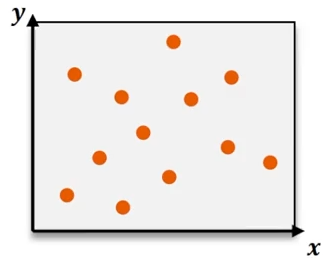
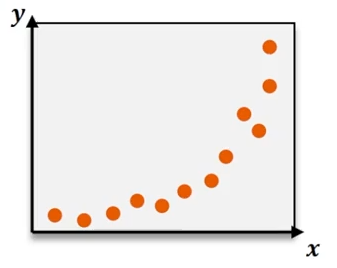
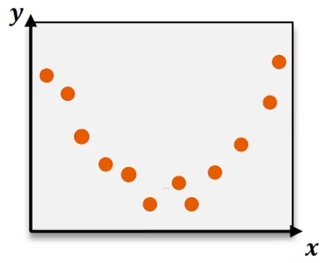
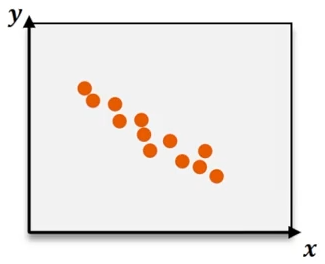
Quadratic regression is a powerful statistical method used to model data that follows a curved pattern rather than a straight line. Unlike linear regression, which fits data to a line defined by the equation y = bx + c, quadratic regression fits data to a parabola described by the equation
where the ax² term introduces the curvature, allowing the model to capture U-shaped or inverted U-shaped trends in the data.
When analyzing datasets that exhibit nonlinear behavior, such as sales trends over time that rise and then fall, quadratic regression provides a more accurate fit. The coefficients a, b, and c represent the parameters of the quadratic equation, with a controlling the curvature, b the linear component, and c the y-intercept.
To determine these coefficients efficiently, graphing calculators like the TI-84 offer built-in quadratic regression functions. By entering the data points into lists (commonly L1 for x-values and L2 for y-values), users can access the quadratic regression feature through the statistics menu. The calculator computes the best-fit quadratic equation by minimizing the sum of squared residuals, providing values for a, b, and c automatically.
For example, analyzing toy sales over nine weeks might yield a quadratic regression equation such as:
where the negative coefficient of x² indicates a concave downward curve, reflecting sales that increase and then decrease over time.
Evaluating the goodness of fit is crucial, and this is often done using the coefficient of determination, R². This statistic ranges from 0 to 1, with values closer to 1 indicating a better fit. An R² value of 0.977, for instance, suggests that the quadratic model explains approximately 97.7% of the variance in the data, confirming the model’s accuracy.
After calculating the regression equation, graphing it alongside the original data points helps visualize the fit. Adjusting the graph window to encompass the range of x-values and y-values ensures the curve and data points are clearly displayed. Activating the scatter plot feature on the calculator allows the data points to be plotted, while the stored regression equation (often saved as Y1) can be graphed simultaneously, illustrating how well the quadratic curve aligns with the data.
In summary, quadratic regression extends linear regression by incorporating a squared term to model curved data trends effectively. Utilizing graphing calculators streamlines the process of finding the best-fit quadratic equation and assessing its fit through the R² value. This method is especially useful in real-world scenarios where relationships between variables are nonlinear, enabling more accurate predictions and insights.