Use a calculator to approximate each real number value. (Be sure the calculator is in radian mode.) y = arctan 1.1111111
Verified step by step guidance
1
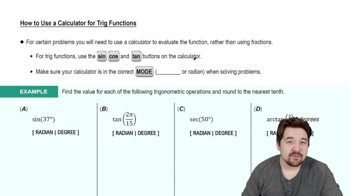
Ensure your calculator is set to radian mode. This is crucial because the problem specifies that the angle should be in radians.
Identify the function you need to use: in this case, it's the inverse tangent function, often labeled as 'arctan' or 'tan^(-1)' on calculators.
Enter the value 1.1111111 into the calculator. This is the argument for the arctan function.
Press the arctan or tan^(-1) button on your calculator to compute the angle whose tangent is 1.1111111.
The calculator will display the angle in radians, which is the approximate value of y.
Verified video answer for a similar problem:
This video solution was recommended by our tutors as helpful for the problem above
Play a video:
0 Comments
Key Concepts
Here are the essential concepts you must grasp in order to answer the question correctly.
Inverse Trigonometric Functions
Inverse trigonometric functions, such as arctan, are used to find the angle whose tangent is a given number. For example, if y = arctan(x), then tan(y) = x. These functions are essential for solving problems where the angle is unknown but the ratio of the sides of a right triangle is known.
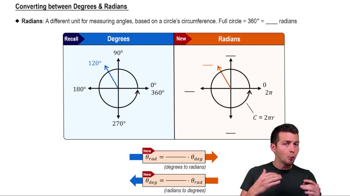
Radian measure is a way of measuring angles based on the radius of a circle. One radian is the angle formed when the arc length is equal to the radius. Calculators often have modes for degrees and radians, and it's crucial to ensure the correct mode is selected when performing trigonometric calculations to obtain accurate results.
Using a calculator effectively involves understanding its functions, including how to input trigonometric and inverse trigonometric functions. When calculating values like y = arctan(1.1111111), it's important to ensure the calculator is set to the correct mode (radians) to get the right output, as the results will differ significantly between radian and degree modes.


 Verified step by step guidance
 4:28
4:28