Ch. 6 - Inverse Circular Functions and Trigonometric Equations
Lial - Trigonometry 12th Edition
Lial12th EditionTrigonometryISBN: 9780136552161Not the one you use?Change textbook
Chapter 7, Problem 51

Use a calculator to approximate each value in decimal degrees.
θ = arccos (-0.39876459)

Verified step by step guidance
1
Understand that the problem asks for the angle \( \theta \) whose cosine value is \( -0.39876459 \). This is expressed as \( \theta = \arccos(-0.39876459) \).
Recall that the \( \arccos \) function (inverse cosine) returns an angle in the range \( 0^\circ \) to \( 180^\circ \) when working in degrees.
Use a calculator set to degree mode to find the approximate value of \( \theta \). Input the value \( -0.39876459 \) into the \( \arccos \) function.
The calculator will provide the angle \( \theta \) in decimal degrees, which is the angle whose cosine is \( -0.39876459 \).
Interpret the result as the principal value of the angle in degrees, which completes the approximation.

Verified video answer for a similar problem:

This video solution was recommended by our tutors as helpful for the problem above.
Was this helpful?

Key Concepts

Here are the essential concepts you must grasp in order to answer the question correctly.

Inverse Trigonometric Functions

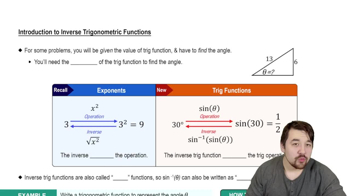
Inverse trigonometric functions, such as arccos, are used to find the angle that corresponds to a given trigonometric ratio. For arccos(x), it returns the angle whose cosine is x, typically within the range 0° to 180° for degrees.
Recommended video:
4:28
Introduction to Inverse Trig Functions

Domain and Range of arccos

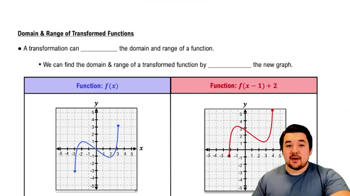
The arccos function accepts input values between -1 and 1, inclusive, since cosine values lie within this range. Its output, or range, is limited to angles between 0° and 180°, ensuring a unique principal value for each input.
Recommended video:
4:22
Domain and Range of Function Transformations

Using a Calculator for Trigonometric Approximations

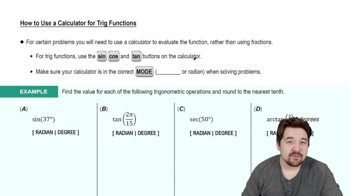
Calculators can compute inverse trig functions to approximate angle measures in decimal degrees. It is important to set the calculator to degree mode and input the value correctly to obtain an accurate angle approximation.
Recommended video:
4:45
How to Use a Calculator for Trig Functions