Which of the following cannot be used to display the relationship between two categorical variables?
Table of contents
- 1. Intro to Stats and Collecting Data1h 14m
- 2. Describing Data with Tables and Graphs1h 55m
- 3. Describing Data Numerically2h 5m
- 4. Probability2h 16m
- 5. Binomial Distribution & Discrete Random Variables3h 6m
- 6. Normal Distribution and Continuous Random Variables2h 11m
- 7. Sampling Distributions & Confidence Intervals: Mean3h 23m
- Sampling Distribution of the Sample Mean and Central Limit Theorem19m
- Distribution of Sample Mean - Excel23m
- Introduction to Confidence Intervals15m
- Confidence Intervals for Population Mean1h 18m
- Determining the Minimum Sample Size Required12m
- Finding Probabilities and T Critical Values - Excel28m
- Confidence Intervals for Population Means - Excel25m
- 8. Sampling Distributions & Confidence Intervals: Proportion2h 10m
- 9. Hypothesis Testing for One Sample5h 9m
- Steps in Hypothesis Testing1h 6m
- Performing Hypothesis Tests: Means1h 4m
- Hypothesis Testing: Means - Excel42m
- Performing Hypothesis Tests: Proportions37m
- Hypothesis Testing: Proportions - Excel27m
- Performing Hypothesis Tests: Variance12m
- Critical Values and Rejection Regions28m
- Link Between Confidence Intervals and Hypothesis Testing12m
- Type I & Type II Errors17m
- 10. Hypothesis Testing for Two Samples5h 37m
- Two Proportions1h 13m
- Two Proportions Hypothesis Test - Excel28m
- Two Means - Unknown, Unequal Variance1h 3m
- Two Means - Unknown Variances Hypothesis Test - Excel12m
- Two Means - Unknown, Equal Variance15m
- Two Means - Unknown, Equal Variances Hypothesis Test - Excel9m
- Two Means - Known Variance12m
- Two Means - Sigma Known Hypothesis Test - Excel21m
- Two Means - Matched Pairs (Dependent Samples)42m
- Matched Pairs Hypothesis Test - Excel12m
- Two Variances and F Distribution29m
- Two Variances - Graphing Calculator16m
- 11. Correlation1h 24m
- 12. Regression3h 33m
- Linear Regression & Least Squares Method26m
- Residuals12m
- Coefficient of Determination12m
- Regression Line Equation and Coefficient of Determination - Excel8m
- Finding Residuals and Creating Residual Plots - Excel11m
- Inferences for Slope31m
- Enabling Data Analysis Toolpak1m
- Regression Readout of the Data Analysis Toolpak - Excel21m
- Prediction Intervals13m
- Prediction Intervals - Excel19m
- Multiple Regression - Excel29m
- Quadratic Regression15m
- Quadratic Regression - Excel10m
- 13. Chi-Square Tests & Goodness of Fit2h 21m
- 14. ANOVA1h 57m
13. Chi-Square Tests & Goodness of Fit
Contingency Tables
Problem 12.2.17a
Textbook Question
[DATA] Dropping a Course A survey was conducted at a community college of 50 randomly selected students who dropped a course in the current semester to learn why students drop courses. “Personal” drop reasons include financial, transportation, family issues, health issues, and lack of child care. “Course” drop reasons include reducing one’s load, being unprepared for the course, the course was not what was expected, dissatisfaction with teaching, and not getting the desired grade. “Work” drop reasons include an increase in hours, a change in shift, and obtaining fulltime employment. Go to www.pearsonhighered.com/sullivanstats to obtain the data file 12_2_17 using the file format of your choice for the version of the text you are using.
a. Construct a contingency table for the two variables.
Verified step by step guidance1
Identify the two categorical variables involved in the problem. Here, the variables are the 'Reason for Dropping a Course' (with categories: Personal, Course, Work) and the 'Specific Reasons' within each category (such as financial, transportation, etc.).
Collect the data from the survey of 50 students, noting how many students fall into each specific reason category under the broader categories Personal, Course, and Work.
Create a table with rows representing the broader categories (Personal, Course, Work) and columns representing the specific reasons within each category. Alternatively, if the problem requires, you can have one variable as rows and the other as columns depending on the data structure.
Fill in the table cells with the frequency counts of students who dropped the course for each specific reason. Each cell should represent the number of students corresponding to that combination of category and specific reason.
Sum the rows and columns to get marginal totals, which help in understanding the distribution of reasons across categories and the overall totals for each specific reason.
Verified video answer for a similar problem:This video solution was recommended by our tutors as helpful for the problem above
Video duration:
5mPlay a video:
Was this helpful?
Key Concepts
Here are the essential concepts you must grasp in order to answer the question correctly.
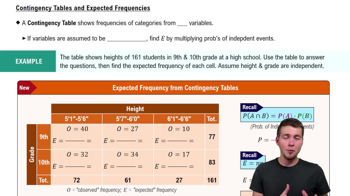
Contingency Table
A contingency table is a matrix that displays the frequency distribution of two categorical variables. It helps summarize the relationship between variables by showing counts or percentages for each category combination. In this question, it organizes students' drop reasons by category to analyze patterns.
Recommended video:
Guided course
Contingency Tables & Expected Frequencies
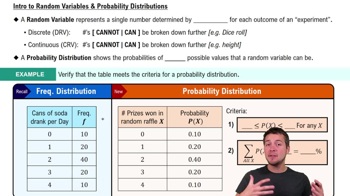
Categorical Variables
Categorical variables represent data sorted into distinct groups or categories without a numerical order. Here, the drop reasons are categorical, divided into 'Personal,' 'Course,' and 'Work' categories. Understanding these variables is essential for correctly grouping and analyzing the data.
Recommended video:
Guided course
Intro to Random Variables & Probability Distributions
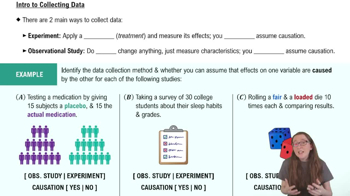
Data Collection and Sampling
Data collection involves gathering information systematically, and sampling refers to selecting a subset from a population. The question uses a random sample of 50 students, which is important to ensure the data represents the broader student population dropping courses, allowing valid conclusions.
Recommended video:
Introduction to Collecting Data
Watch next
Master Contingency Tables & Expected Frequencies with a bite sized video explanation from Patrick
Start learningRelated Videos
Related Practice
Multiple Choice
27
views